
Scout the block. Talk, snap, done.
Scouting notes by voice, photo and text, right where you stand, even with no signal. No forms to fill in the field, and no typing it up at night.
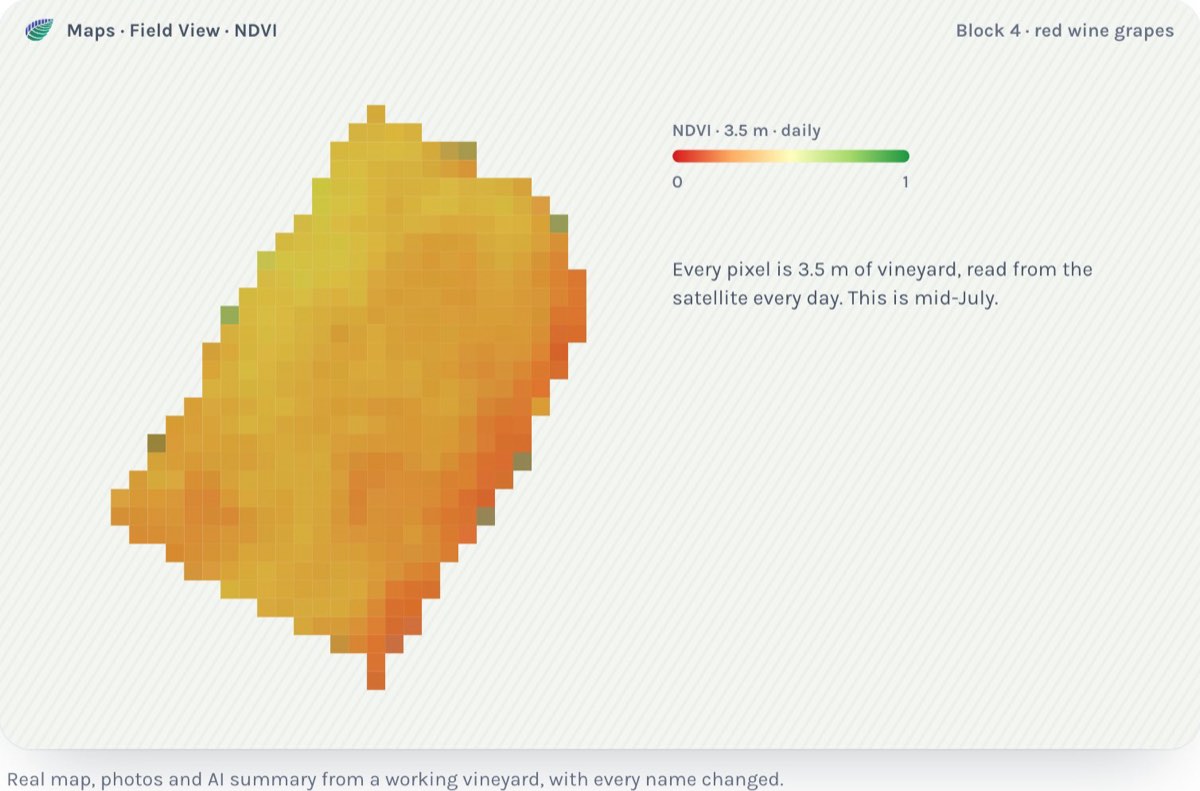
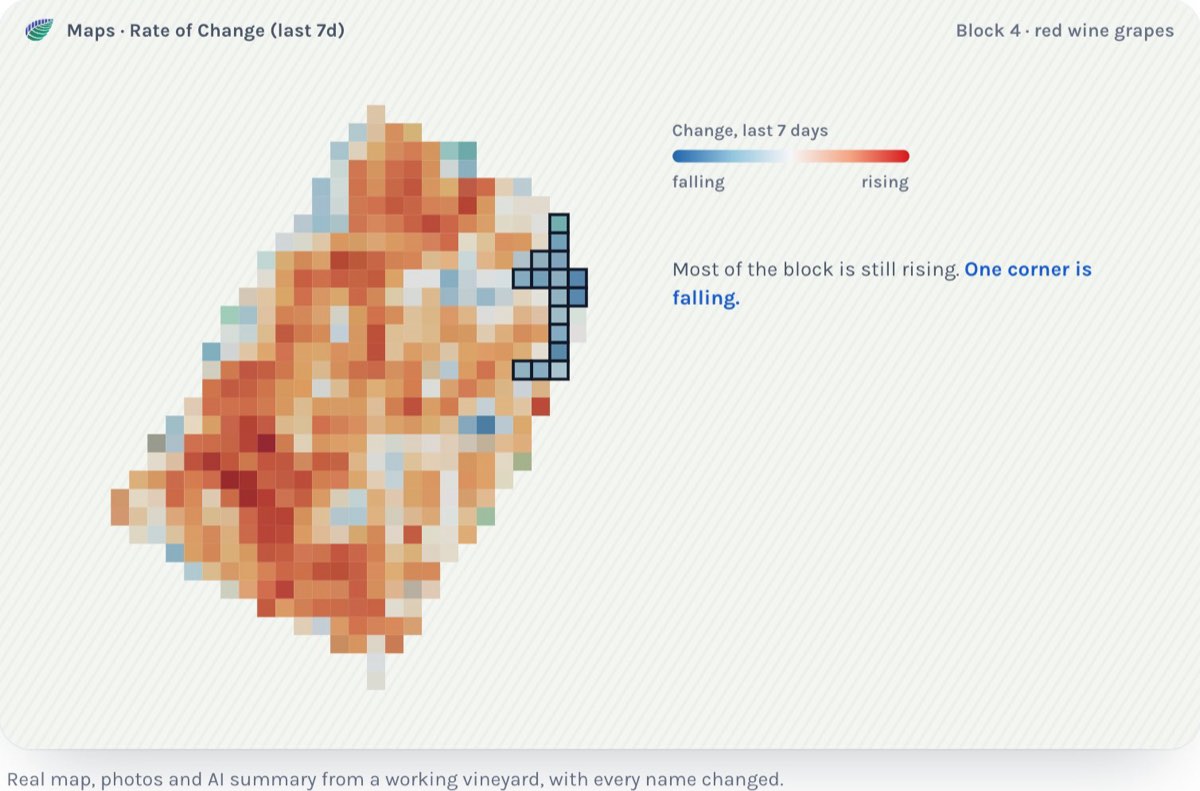
The satellite map says Block 4 slipped since last week. Vigor is down on the east side.
You drive out to look. You don't want a form. You want to look at the vines, say what you see, and get back in the truck.
Here is that walk in Carbonleap.
1. Know where to walk
The vigor map comes in from the satellite. On fields you watch daily, it is 3.5 meters a pixel. That's small enough to show one corner of a block.
Switch to the 7-day change view. The part of Block 4 that slipped stands out. Walk there first. Leave the blocks that look fine.
2. Say what you see
Open the Carbonleap app on your phone at the vine.
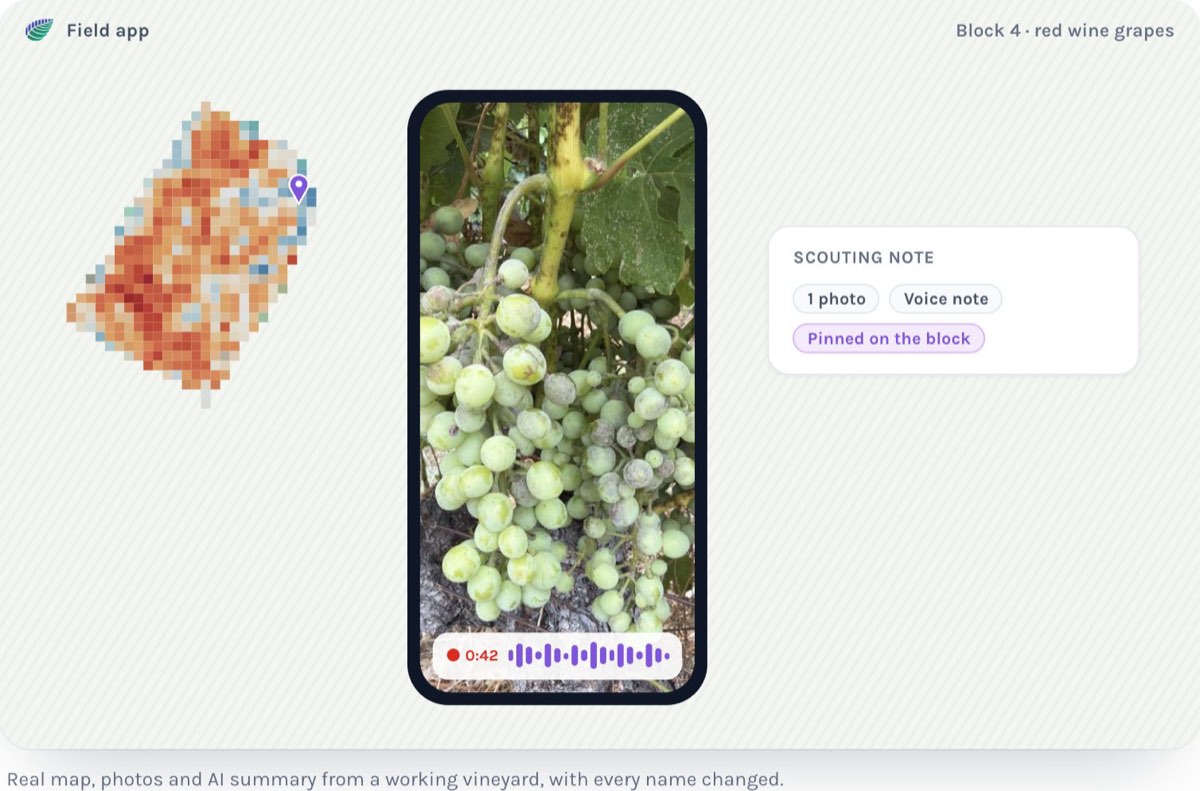
- Talk. Record a voice note and say it: "Row 12, east end. Yellow leaves, stippling on the top side, maybe mites."
- Snap. Take a photo of the leaf. Then the cluster. Then the row.
- Type, if you want to. A word or two is enough.
The note keeps where you stood: the block, the row, the vine, and where on the plant.
No signal at the far end of the block? It still works. The note saves on your phone and goes up when you're back in range.
That's the note. Back in the truck.
3. Get a summary you can read
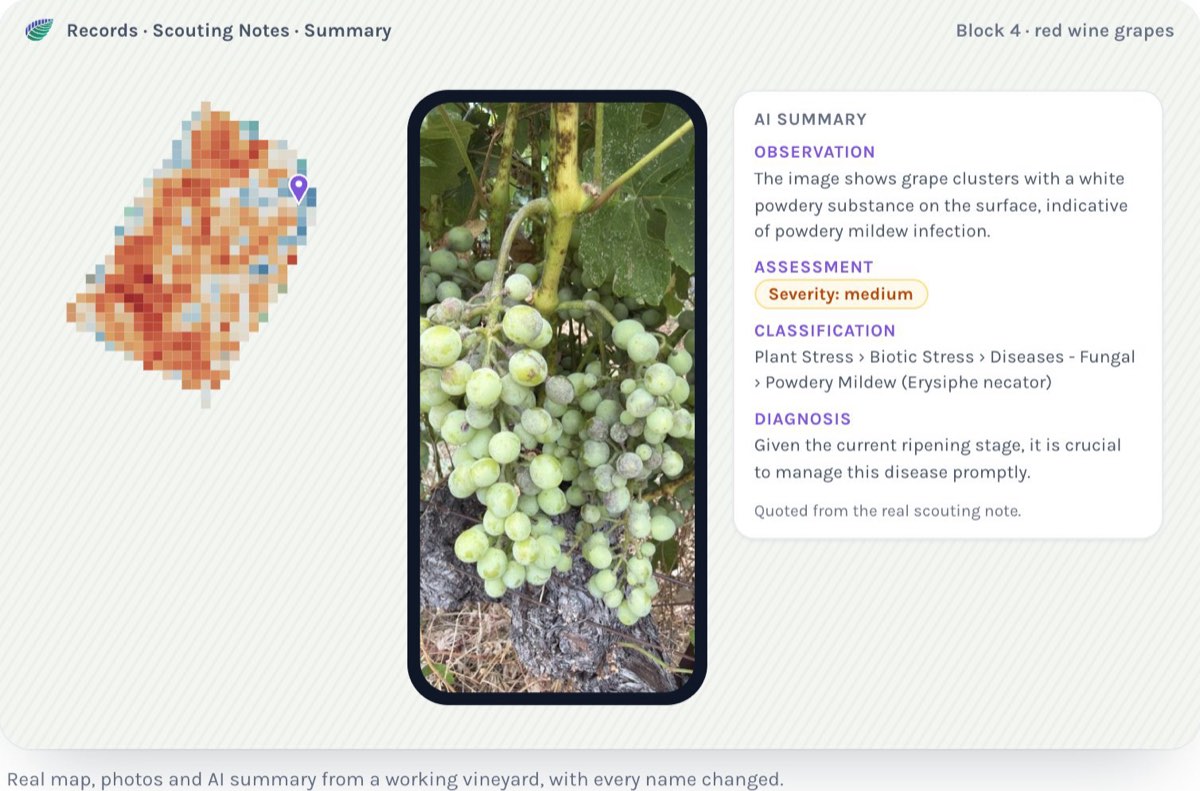
Carbonleap writes each note up the same way every time:
- What was seen: yellowing, stippling, top of the leaf
- How bad: a severity grade
- What it is: pest, disease, water or nutrient, narrowed down
- A likely cause: mites, for example
The likely cause is a suggestion. You make the call.
4. It's already in your records
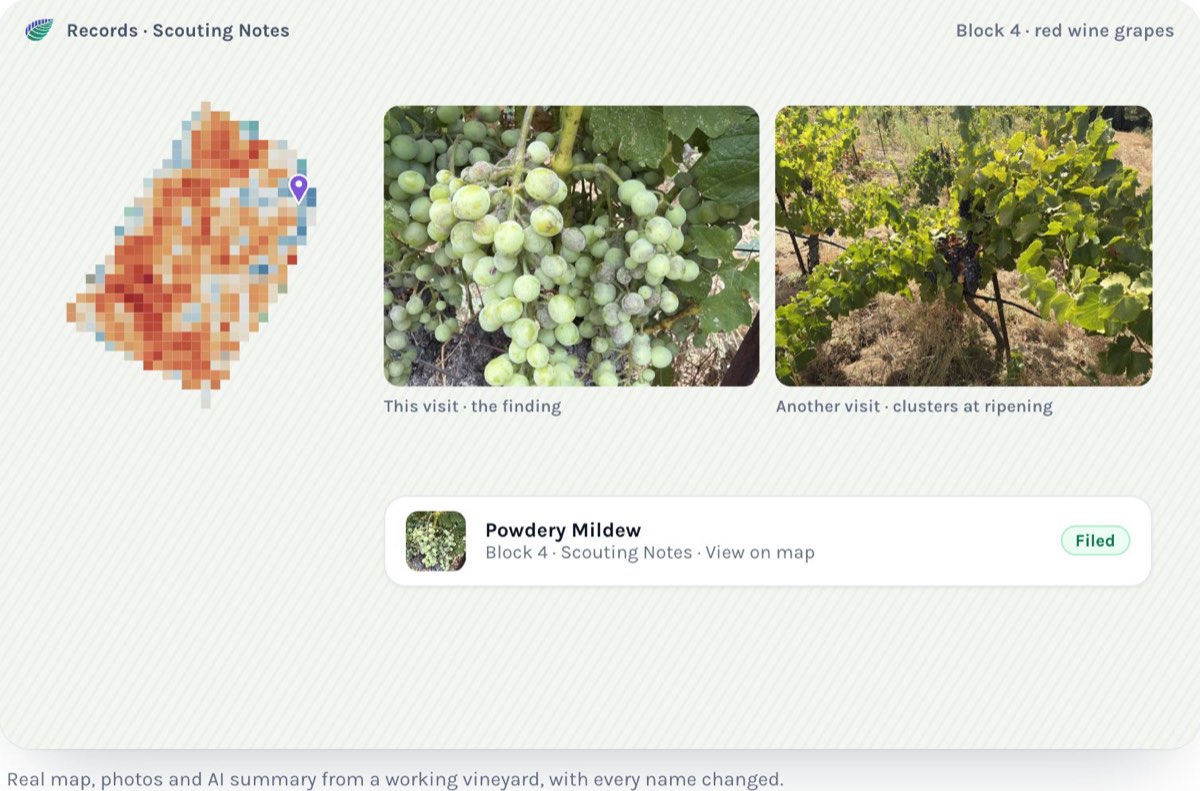
The note lands in Records, under Scouting Notes. It goes on the season calendar next to the sprays and the irrigation.
The photos and the voice note stay with it. Click a note and they're there. Download a photo when you need it.
Nobody types it up at night. Nobody loses the notebook.
Paper forms too
Some jobs still come on paper: a pruning check, a cluster count, a pre-harvest test.
When you fill in a task, Carbonleap asks how:
- type it in
- upload the file you have
- scan the paper with your phone camera
Whichever you pick, it becomes a record.
Need a new form? Describe it in a sentence, like "a pruning check with row number, spurs per vine and trunk damage", and Carbonleap builds it.
What you need to start
- Your field boundaries.
- The Carbonleap app on your phone.
That's it.
Block 4, the rows and the notes are an example. The screens and the steps are real.
See it on a block: Spot a stressed block: from the satellite to the scout